agentctl
Find and resume any Claude Code or Codex session from one terminal menu.
Start a new session in any project, or search every past session by name or full transcript text, peek at the conversation, and resume it in the right folder with the right account. Local only, no telemetry.
brew install --cask roypadina/tap/agentctl Or with npm:
npm i -g @roypadina/agentctl Version 0.11.2, released 23 October 2026. Node 18 or later, installed by Homebrew as a dependency. macOS tested, Linux best-effort. Free and MIT licensed.
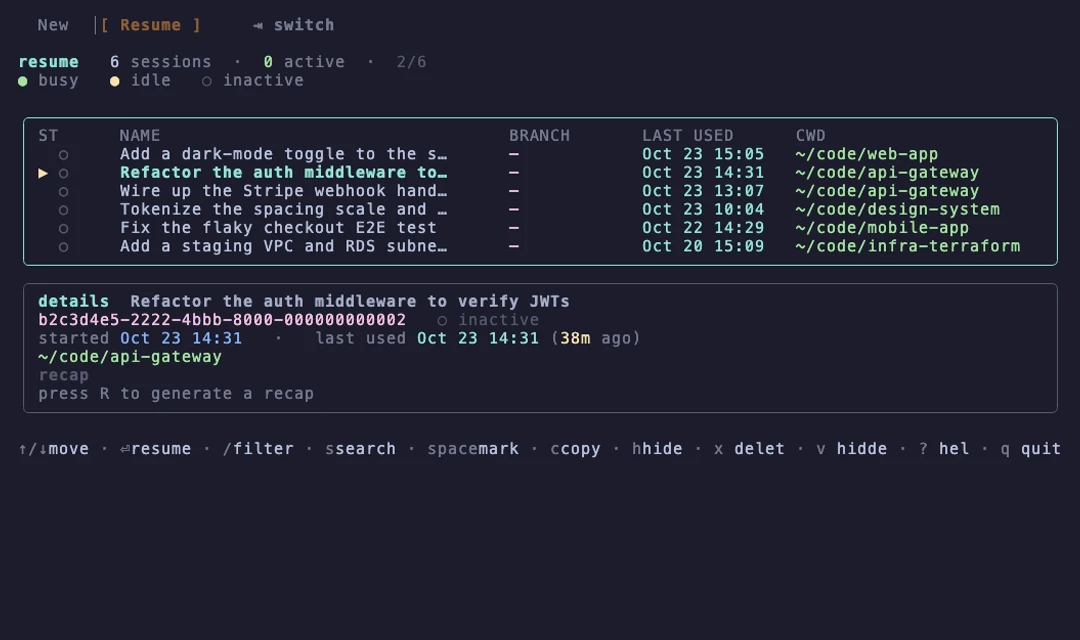
See it work
Filter your projects, switch to Resume, search a past session by what was said in it, peek at the transcript, resume.
Why agentctl
It finds the session you mean
Every Claude Code session on the Mac, across every profile, searchable by name, path or the full transcript text. Peek at the conversation before you commit, or press r for a cached AI recap of what it was doing and what is left.
It resumes in the right place
The original working directory and the right account, even when you run several Claude profiles. If a folder name cannot be decoded with certainty, agentctl says so and asks before resuming. c copies a resume command for any other terminal.
It starts new ones faster
Projects grouped and sorted by how often you use them, fuzzy-filtered as you type. One key opens the folder in your IDE first, in tmux, after a
git pull, or creates a new directory. Any agent command works, Claude or Codex. Local only, no telemetry.
How it works
Two halves of one workflow, one keystroke apart.
Claude Code stores every session as a transcript under its config folder, named after your first prompt and filed under an encoded working directory. agentctl streams those transcripts instead of loading them, so a search across hundreds of sessions stays quick. Names come from a /rename title first, then the auto-generated title, then the first prompt; status is busy, idle or inactive from a live process check.
Sessions age badly when they are named after a first prompt, so you can name, note, flag, label and set reminders on any of them, from the picker, the CLI, or from inside the session itself through the agentctl-sessions plugin. Annotations live in their own small files, outside the Claude folder, so nothing here can touch a transcript.
Compared with the built-in picker
| agentctl | claude --resume | |
|---|---|---|
| Search by transcript text | Yes | No |
| Preview before resuming | Yes | No |
| Resumes in the original folder | Yes | You must be in it |
| Several Claude accounts | All of them, right account on resume | One at a time |
| Launch new sessions by project | Yes | No |
| Names, notes, reminders | Yes | Rename only |
Based on Claude Code's documented behaviour at the time of writing.
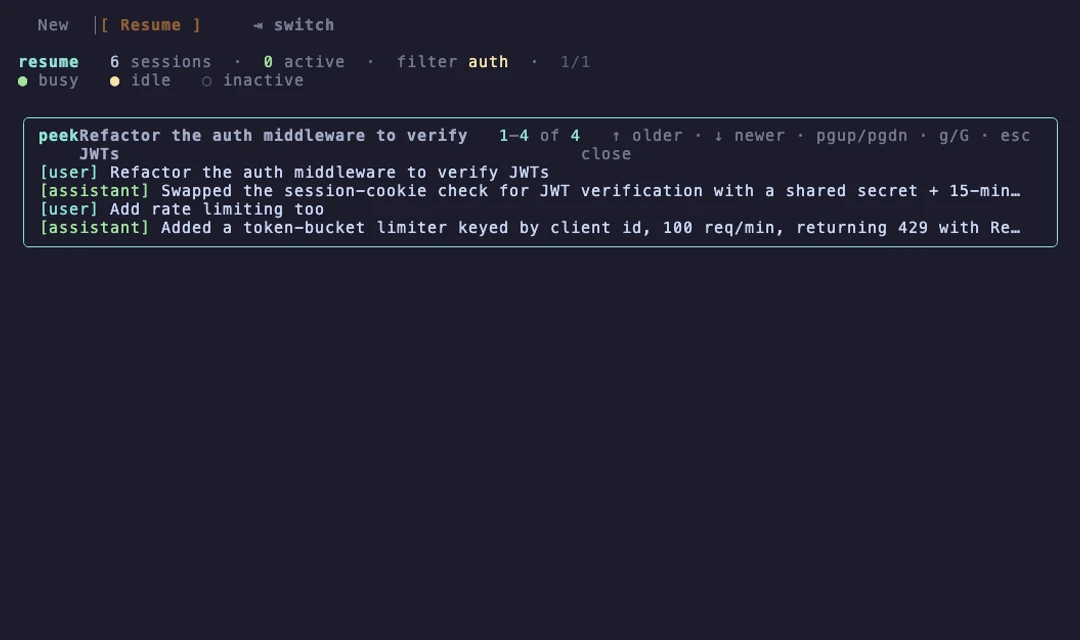
The menu
Keys you will use
- ↵ resume, p peek, r recap, / filter, s full-text search
- e name, n note, f flags, t reminder, d done
- c copy a resume command, h hide, space mark several
- ^t tmux, ^p pull first, ^n new directory, ^-keys for your IDEs
- ? shows the whole keymap
Requirements
- Node 18 or laterHomebrew installs it as a dependency.
- macOS testedLinux is best-effort: the same code runs and CI covers it, but it is not used daily. Windows is not supported.
- Local onlyReads the Claude folders and the project folders you configure. No network calls of its own, no accounts, no analytics.
- Skips permission prompts by defaultThe default launch command includes
--dangerously-skip-permissions, because this is a launcher for your own machine. Changerunsin the config to drop it.
Questions
How is this different from claude --resume?
The built-in picker resumes by id from memory: you still have to know which session and which folder. agentctl finds the right one by name, path or transcript text, shows you the conversation, then resumes it in its original directory. The New side adds a launcher across all your projects.
Is it safe? Does it phone home?
Open source under MIT, local only. It reads the Claude folders and your configured project folders and launches your terminal. No network calls of its own, no analytics, no accounts.
A session shows a warning mark. What does it mean?
Its working directory could not be decoded with certainty (a dash in a folder name is ambiguous in how Claude Code files sessions). Resuming into the wrong directory would be bad, so agentctl asks first: press ↵ twice to resume anyway, or pass --cwd with the right path.
I run several Claude accounts. Does it cope?
Yes. Every profile's sessions are listed with live status, and resuming pins the right profile instead of silently using the wrong account. One tool entry per profile lets you start new sessions on a chosen account. With a single account none of this appears.
Does it work on Linux or Windows?
Linux is best-effort: the code runs there and the tests run on Ubuntu in CI, but it is used daily only on macOS. Windows is not supported.
Keep the next one coming
If agentctl saves you clicks and tab-hunting, you can support its development. Optional, always appreciated.
I'm a software engineer from Israel who builds small, focused Mac tools to fix the little annoyances in my own day — then shares them free and open source. If this app saves you time, a coffee on Ko-fi keeps the next one coming. ☕
Roy Padina
Not today? A star on GitHub or a bug report helps too.
What a coffee pays for
- The Apple Developer Program, so the apps can be notarized and the "Open Anyway" step goes away.
- Evenings on bug reports, new macOS versions and Intel builds.
- The next small tool.