
Agents Monitor
See your Claude Code and Codex usage limits before you hit them.
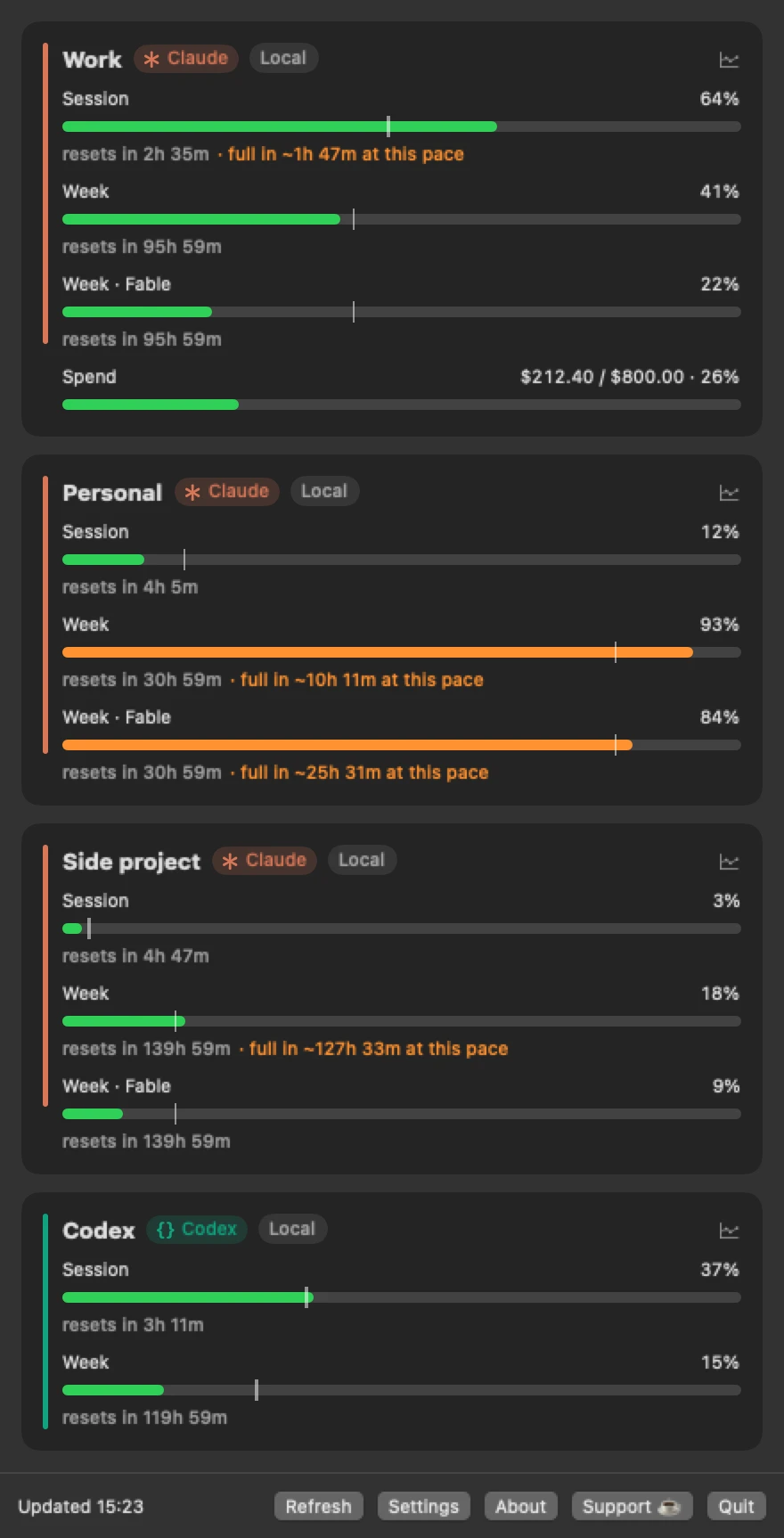
Session, weekly and spend bars for any number of Claude Code and Codex accounts, with a pacing tick and a reset countdown. Alerts on the desktop, as a toast, or on your phone before a limit runs out.
brew install --cask roypadina/tap/agents-monitor Version 1.5.4, released 23 October 2026. macOS 14 or later, Apple Silicon and Intel. Free and MIT licensed.
Why Agents Monitor
Every account, one glance
Session, weekly and per-model windows for any number of Claude Code and Codex accounts, straight from each provider's own usage endpoint: the same numbers behind
/usage. Severity colours, a pacing tick showing where an even burn rate would put you right now, a reset countdown, and a "full in about 7 h at this pace" warning when a limit will run out before it resets.The alert comes before the wall
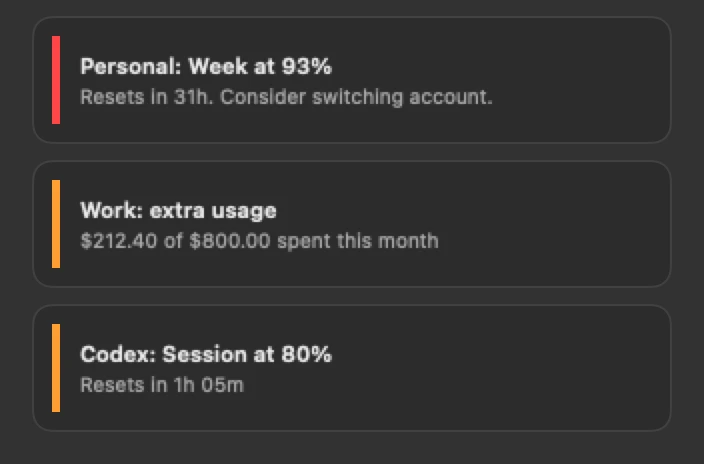
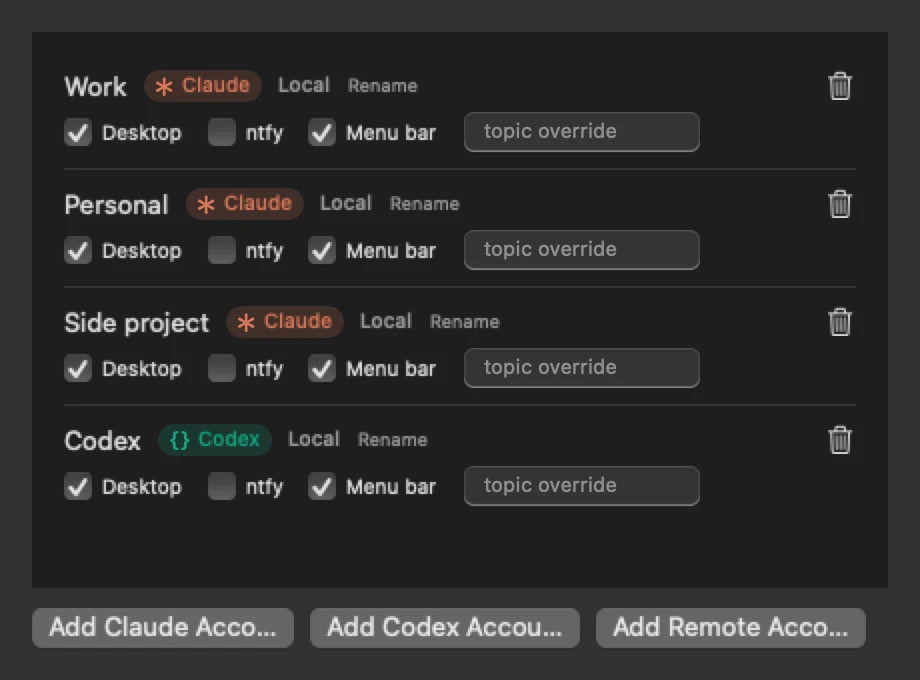
A desktop notification, an in-app toast with sound, or a push to your phone through ntfy, each switchable per account. Set the thresholds once and stop checking.
Nothing to connect
It uses the logins Claude Code and Codex already keep on your Mac, read-only, and never refreshes them. Accounts from another machine can be pasted in. The menu bar shows what you choose: the worst limit, the session, the week, or per-model, or just a coloured dot per account.
How it works
Poll, grade, warn.
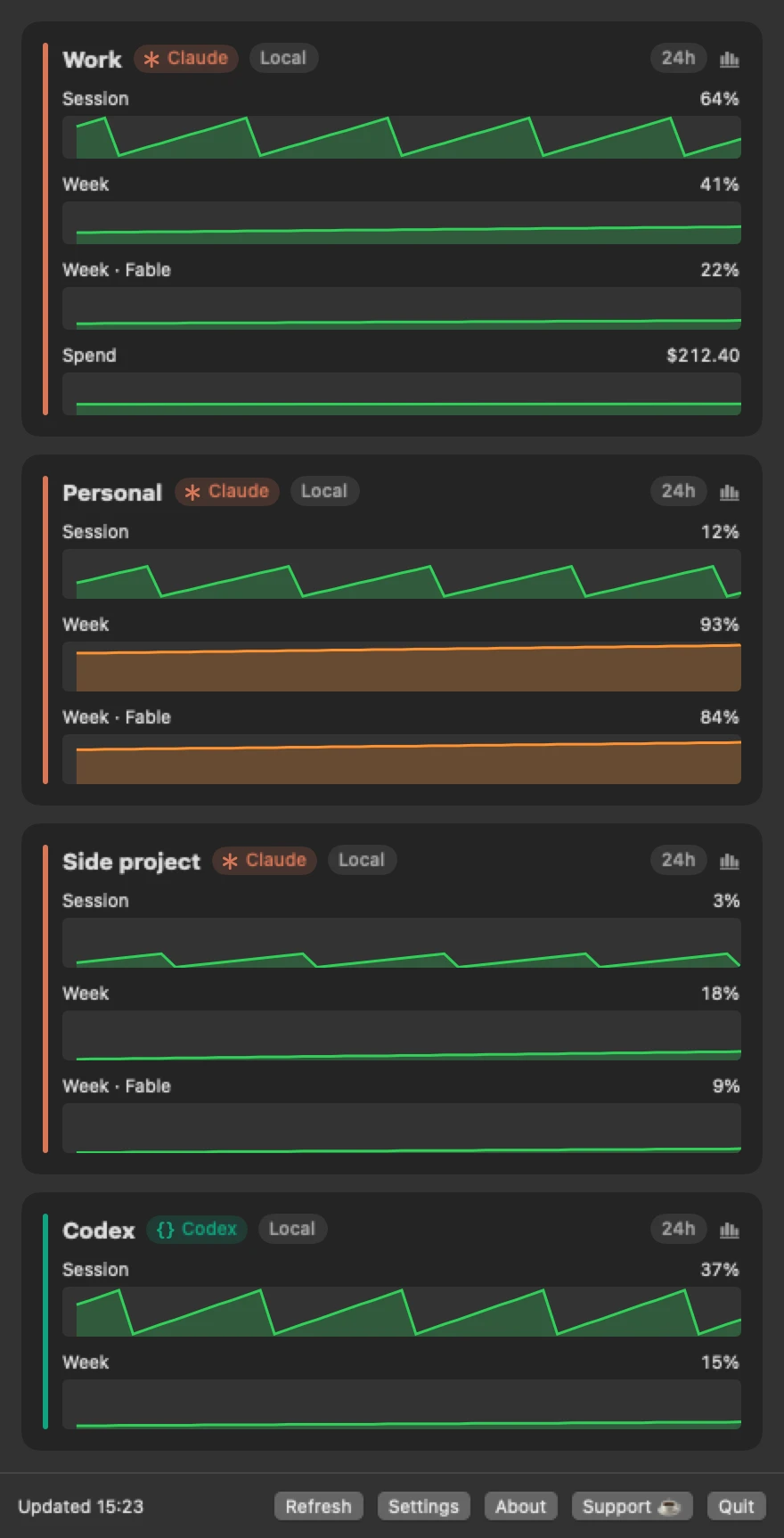
Rendering is generic: any limit bucket the provider adds shows up on its own, no update needed. Every poll is kept for 90 days, so the chart button on a card turns it over into graphs of the last 24 hours, 7 days or 30 days. Claude's extra-usage spend this month has its own bar; Codex reports a remaining credit balance rather than an amount spent, so there is nothing honest to show there.
Both endpoints are undocumented and unsupported by their vendors. Polling respects a 180-second minimum and backs off from 3 to 15 minutes if the provider pushes back. The weekly reset time is the server's own rolling estimate, so treat that countdown as approximate.
Sibling app: AgentsSessionHopper goes one step further for Claude Code: when one of your accounts runs low, it offers to continue the same conversation on another, at turn end, after you confirm. It reads nothing from the network. The two apps are independent and work side by side.
The popover, the graphs, the alerts
Privacy, in plain words
It reads another app's login and calls endpoints the vendors do not document, so the questions are fair. Here is exactly what it does.
What it reads
Your local Claude Code login (the Keychain items Claude Code created) and your local Codex login, read-only, only to ask each provider's own usage endpoint how much of your limits you have used. It never refreshes, rewrites or deletes those logins.
What leaves your Mac
Only those usage requests, to Anthropic for Claude and to OpenAI for Codex, each carrying that account's own access token. If you turn on phone push, the alert text (account name, limit, percentage) goes to the ntfy server and topic you configure. Nothing else: no analytics, no telemetry, no update checks, no third parties.
What it keeps
Your account list and settings in the app's preferences, a usage history (percentages and spend per account, 90 days) for the graphs, and a short-lived response cache. Credentials you paste for an account on another machine go into a device-only Keychain item, never iCloud, never logged; because the app owns that login, it refreshes those tokens itself. Local accounts are never refreshed.
Not affiliated. Agents Monitor is an independent project, not affiliated with, endorsed by or sponsored by Anthropic or OpenAI. "Claude" and "Codex" are their products' names. The usage endpoints it calls are undocumented and may change or stop working.
Requirements
- macOS 14 or laterSonoma onwards.
- Apple Silicon and IntelOne universal download.
- A Claude Code or Codex login on this MacOr credentials pasted in from another machine. Phone push needs the free ntfy app and a topic of your own.
- Not sandboxed, not notarizedIt reads another app's Keychain item and calls undocumented vendor endpoints; both are why. Open source under MIT, so you can read exactly what it does.
First launch
AgentsMonitor is not notarized by Apple, which needs a paid developer account (it is ad-hoc signed). So macOS blocks the first launch with a "could not verify" message. Open System Settings > Privacy & Security, scroll down and click Open Anyway. Or clear the quarantine flag once:
xattr -dr com.apple.quarantine "/Applications/AgentsMonitor.app" After that it opens like any other app. If you would rather not trust a download, build it from source.
Questions
Is it safe?
Open source under MIT, every line in the repo. The only network calls are to the providers' usage endpoints and to your own ntfy server if you set one. It never refreshes a local account's token, and pasted credentials live in a device-only Keychain item. See Privacy above.
Which providers are supported?
Claude Code, local and remote accounts, and Codex with a local ChatGPT login.
Why is there no Codex spend row?
The Codex endpoint reports a remaining credit balance, not an amount spent, so there is nothing honest to show as spend.
Why is the weekly countdown approximate?
The weekly reset time is the server's own naive rolling-window estimate. Session countdowns are exact.
Can I poll faster than every 180 seconds?
No. The minimum comes from community-measured rate limiting on the Claude endpoint; polling faster earns a back-off, not fresher data.
Keep the next one coming
If Agents Monitor has stopped you from hitting a limit mid-task, you can support its development. Optional, always appreciated.
I'm a software engineer from Israel who builds small, focused Mac tools to fix the little annoyances in my own day — then shares them free and open source. If this app saves you time, a coffee on Ko-fi keeps the next one coming. ☕
Roy Padina
Not today? A star on GitHub or a bug report helps too.
What a coffee pays for
- The Apple Developer Program, so the apps can be notarized and the "Open Anyway" step goes away.
- Evenings on bug reports, new macOS versions and Intel builds.
- The next small tool.