AgentsSessionHopper
BETA: not fully tested; real account hand-offs are new.
Profiles for Claude Code. One conversation, any of your accounts.
Keep your own Claude accounts side by side, one Claude Code profile each. When one runs low, continue the same conversation on another with one click. Nothing lost, nothing re-explained, and nothing moves until you say so.
brew install --cask roypadina/tap/agents-session-hopper Version 0.1.6, released 24 October 2026. macOS 14 or later, Apple Silicon and Intel. Free and MIT licensed.
BETA: not fully tested; real account hand-offs are new
The engine and the CLI are covered by unit and integration tests against a fake claude, and the app has been used day to day on one Mac. Hand-offs between real accounts are the new part. Expect rough edges, read the "what it never does" list below before you rely on it, and report what breaks.
Why AgentsSessionHopper
One conversation, any of your accounts
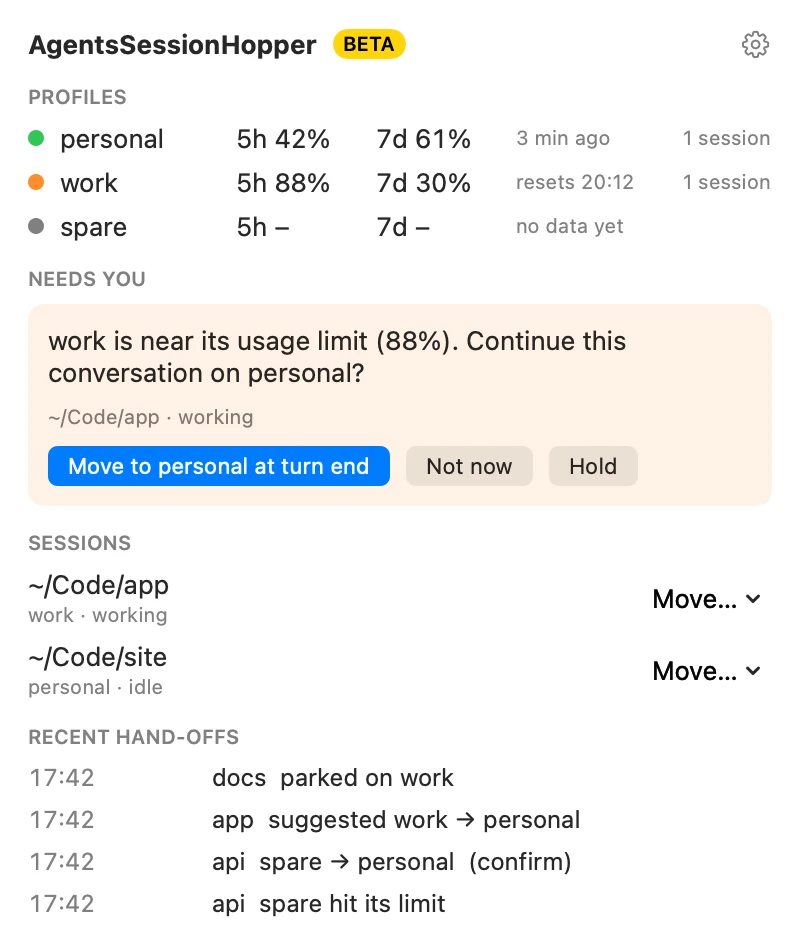
When the account you are working on runs low and another has room, you are asked whether to continue there. Confirm, and the session moves when the current turn ends, resuming the same conversation under the next profile. Nothing re-explained, nothing lost.
You stay in control
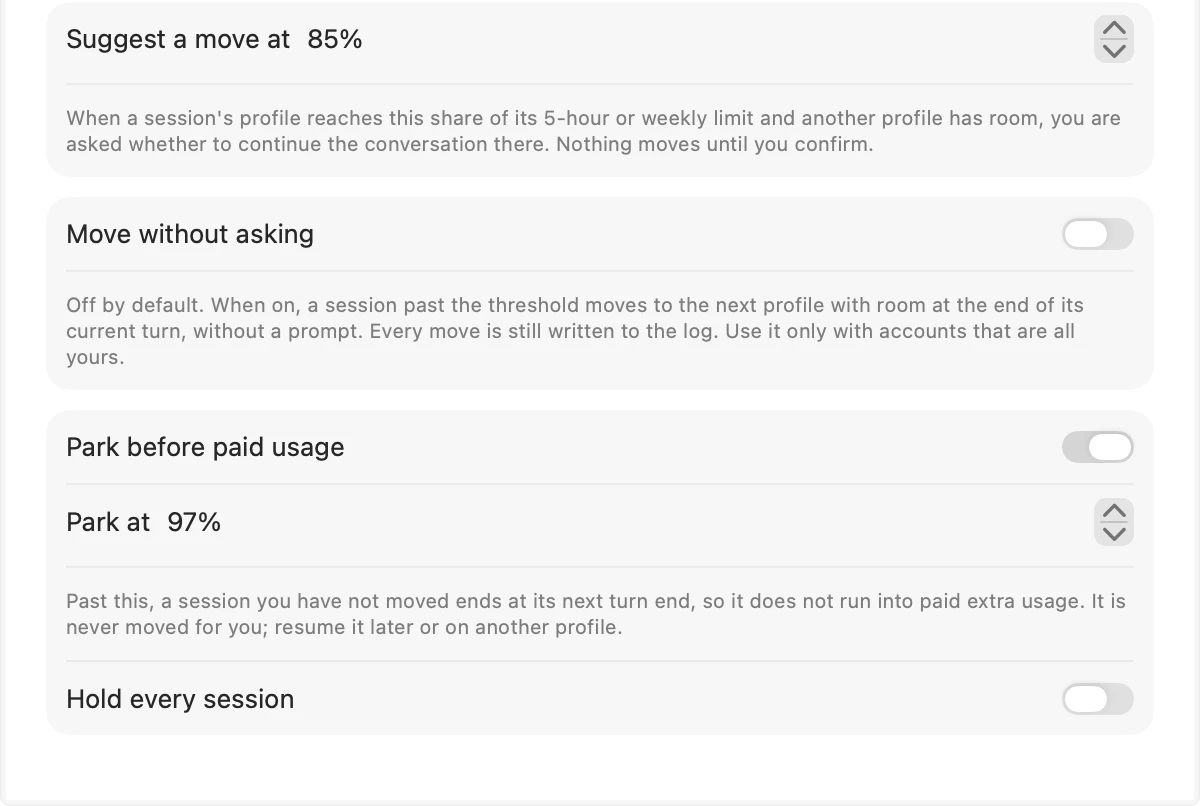
The suggestion comes at 85 percent, adjustable. Moving without asking is off by default and explained in Settings. Past 97 percent with nothing confirmed, the session is parked at its next turn end instead of running into paid extra usage, and tells you how to resume it. Every suggestion, move, park and limit stop is in a 90-day log.
Menu bar, terminal, or both
The menu-bar window shows each profile's 5-hour and weekly usage, live sessions and recent hand-offs. The
sessionhopperCLI does all of it from the terminal, and a shim lets cmux or an IDE start everyclaudesupervised.
How it works
Profiles, usage, a move.
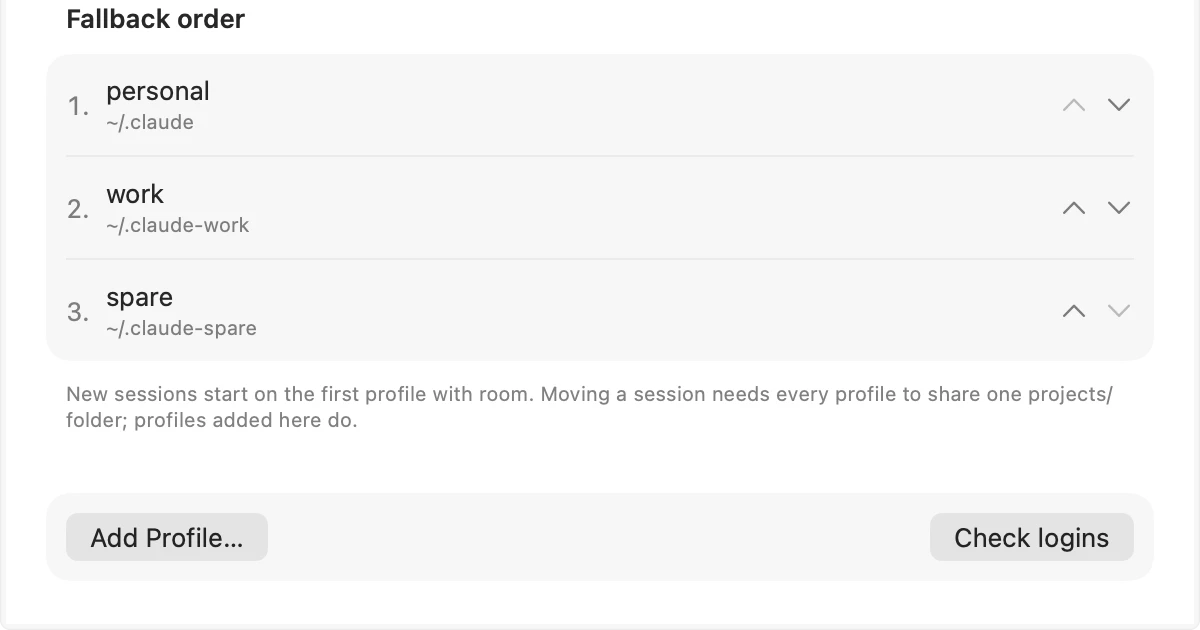
A profile is a Claude Code configuration folder. Existing ~/.claude and ~/.claude-* folders are picked up; new ones are created with your setup and history shared, then logged in through Claude Code itself. sessionhopper starts the unmodified claude with that folder and per-session settings that add a status line and a few hooks; no settings file is written. Moving needs every profile to share one projects/ folder, where Claude Code keeps conversations; profiles the app adds do, and sessionhopper doctor checks.
Sibling app: Agents Monitor watches usage limits for Claude Code and Codex accounts from the menu bar, polling the providers' own usage endpoints. AgentsSessionHopper reads nothing from the network and only moves conversations. They are independent and work side by side.
The window and the settings
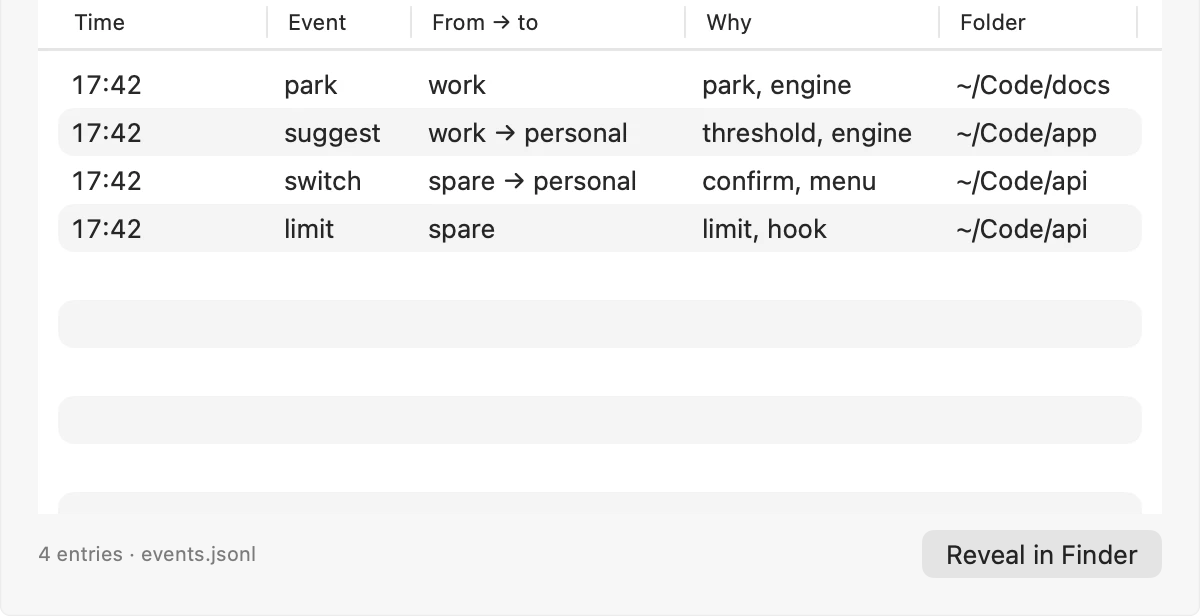
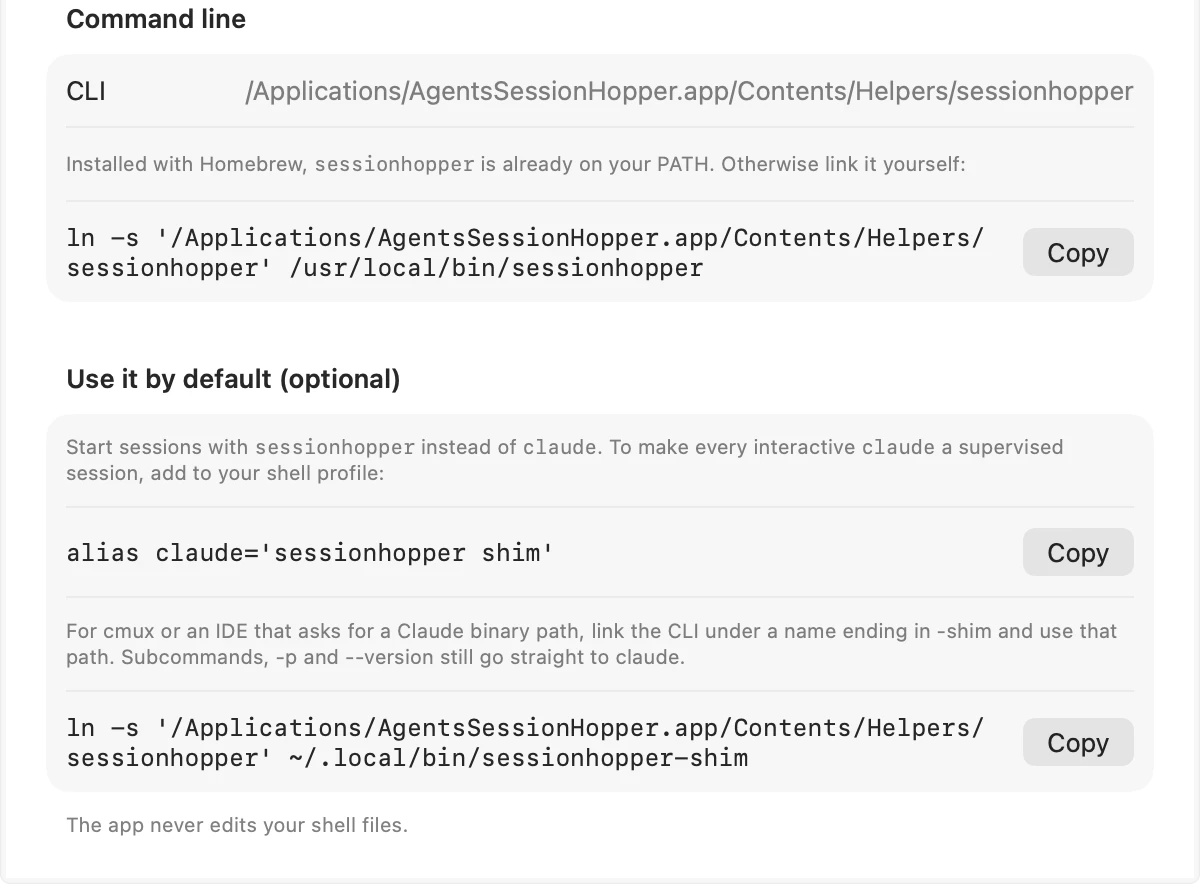
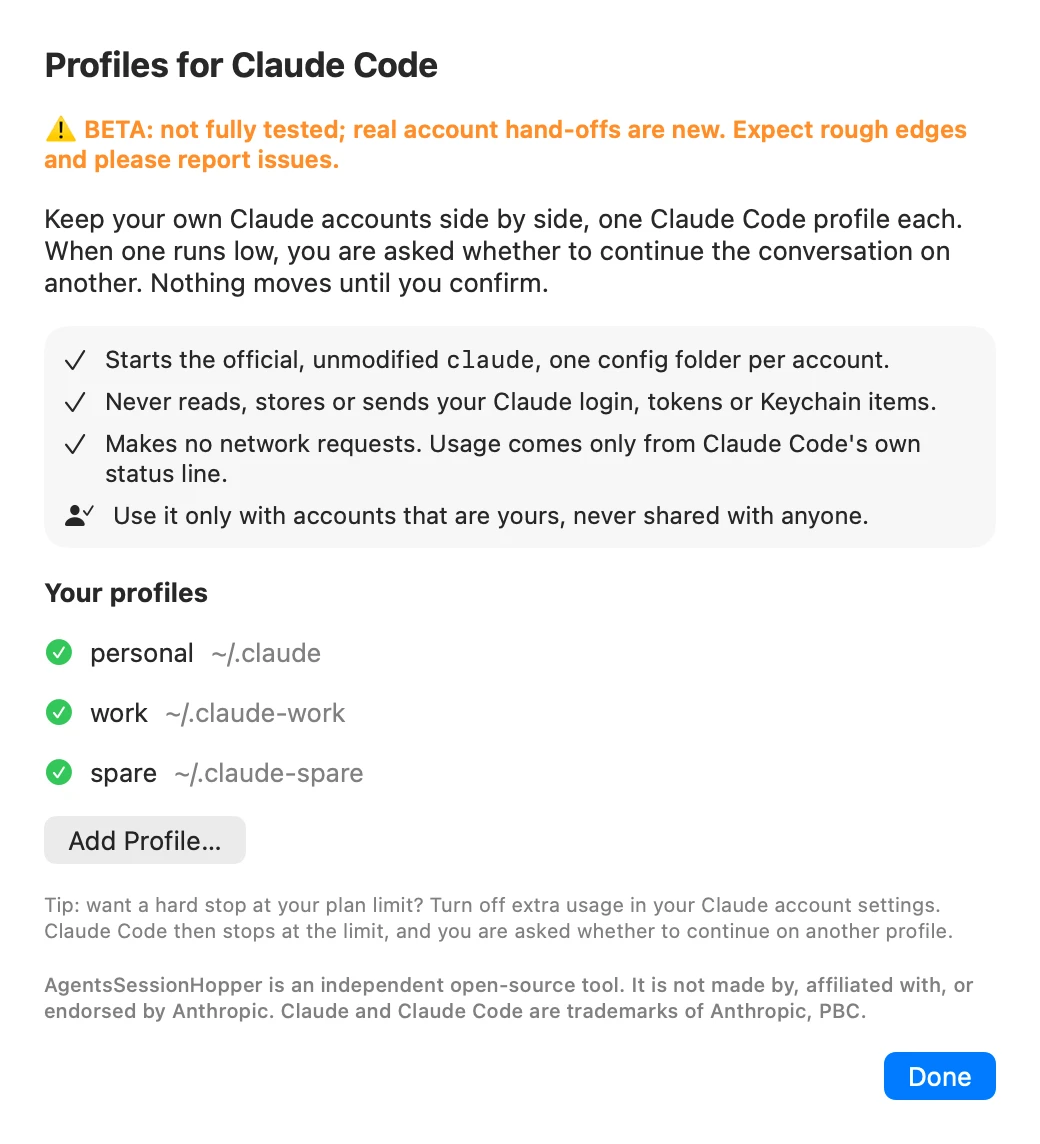
Requirements
- macOS 14 or laterSonoma onwards.
- Apple Silicon and IntelOne universal download; the CLI is bundled and linked by Homebrew.
- Claude CodeInstalled, with a Pro or Max plan per account: usage numbers come only for those. Team and Enterprise seats can be profiles, but report no usage windows.
- No network, no analyticsState lives in Application Support (profile list, last-known usage, the switch log). Open source under MIT.
First launch
AgentsSessionHopper is not notarized by Apple, which needs a paid developer account (it is ad-hoc signed). So macOS blocks the first launch with a "could not verify" message. Open System Settings > Privacy & Security, scroll down and click Open Anyway. Or clear the quarantine flag once:
xattr -dr com.apple.quarantine "/Applications/AgentsSessionHopper.app" After that it opens like any other app. If you would rather not trust a download, build it from source.
Clearing quarantine also unblocks the bundled sessionhopper command.
What it never does
This tool sits next to your Claude Code accounts, so the boundaries matter more than the features.
It never touches your login
It never reads, copies, stores or sends your Claude login, tokens or Keychain items. Login always happens in Claude Code's own
claude auth loginflow, one configuration folder per account, the way Claude Code documents running several accounts.It makes no network requests
None: no usage endpoint, no telemetry, no update check. Usage comes only from the documented status-line input Claude Code gives its own status line, and limit stops from the documented StopFailure hook.
It does not change or get around any limit
Each account keeps its own limits. You decide when a conversation continues elsewhere, and nothing moves until you confirm, unless you switch on "Move without asking" yourself. Claude Code's traffic is never changed, proxied or inspected; it runs the official, unmodified
claude.
Your part: use it only with accounts that are yours, never shared with anyone. Each account is subject to Anthropic's Consumer Terms, Usage Policy and Claude Code usage rules, which Anthropic may change at any time.
Not affiliated. AgentsSessionHopper is an independent open-source tool. It is not made by, affiliated with, or endorsed by Anthropic. Claude and Claude Code are trademarks of Anthropic, PBC.
Questions
Does it read my usage from Anthropic's servers?
No. It makes no network requests. It only uses the numbers Claude Code gives its own status line, so a profile with no running session shows "unknown".
Does it move sessions on its own?
Only if you turn on Move without asking, which is off by default. Otherwise every move is your click or command. Park before paid usage only ever ends a session; it never moves one.
Can I use it with someone else's account?
No. Use it only with accounts that are yours, never shared. Each account stays subject to Anthropic's terms.
Does it work without the app?
Yes. The CLI does everything; the app adds the menu bar, notifications and settings.
Codex?
Not yet. Claude Code only.
Keep the next one coming
If AgentsSessionHopper has saved you from re-explaining a task on another account, you can support its development. Optional, always appreciated.
I'm a software engineer from Israel who builds small, focused Mac tools to fix the little annoyances in my own day — then shares them free and open source. If this app saves you time, a coffee on Ko-fi keeps the next one coming. ☕
Roy Padina
Not today? A star on GitHub or a bug report helps too.
What a coffee pays for
- The Apple Developer Program, so the apps can be notarized and the "Open Anyway" step goes away.
- Evenings on bug reports, new macOS versions and Intel builds.
- The next small tool.